
Landing / deep link
Prototyping & wireframes
Prove the flow before you build
We map journeys, wire key screens, and prototype interactions so product and engineering align early — fewer rewrites, clearer scope, faster decisions.
- Lo-fi → hi-fi
- Clickable flows
- Workshop-ready
- 48hFirst flow sketches often
- 5×Cheaper than rebuild cycles
- 3Fidelity rungs available
- LiveStakeholder walkthroughs
Fidelity ladder
Lo-fi → hi-fi — match the question
Ascend only as far as the decision requires. Polish is a cost; structure is the bet.
Lo-fi
Structure & flow
Boxes, labels, and paths — optimize for speed and honest critique of the idea.
- Sketches & blocks
- Task success focus
- Cheap to throw away
Mid-fi
Layout & hierarchy
Real content density, navigation, and component placeholders without full visual polish.
- Content-aware
- Responsive frames
- Annotation-ready
Hi-fi
Interaction & brand
Near-production UI with motion and states for demos, tests, and engineering handoff.
- Clickable prototype
- State coverage
- Spec depth
Studio wall
From sketch walls to clickable demos
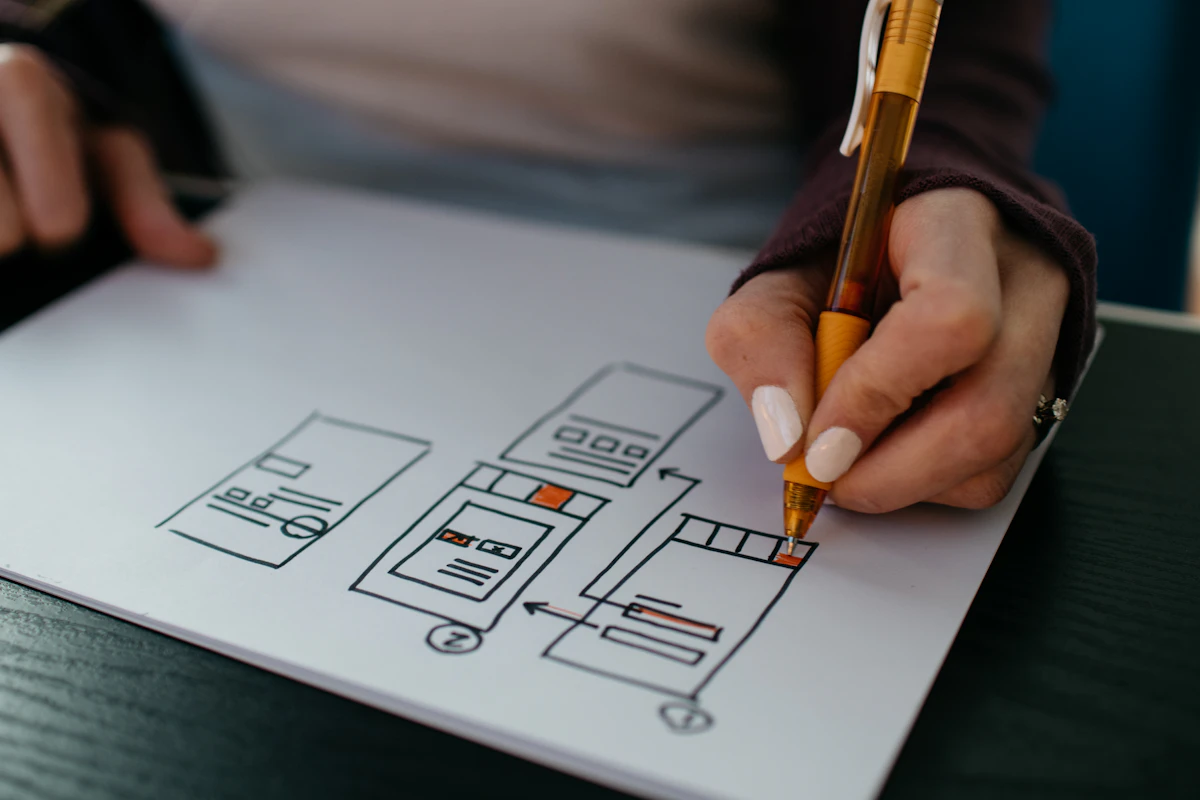
Real workshop and prototype work — the artifacts teams actually argue over and ship from.



Cost of guessing
Rebuild tax vs. wire early
When structure is wrong, engineering pays in cycles. Prototyping spends days so you do not spend sprints. Bars below index rebuild effort at 100.
- 5×
- Avg. cheaper to wire than rebuild
- 62%
- Scope questions closed in walkthrough
- 3.2×
- Faster stakeholder alignment
User flows
Paths, branches, and recovery
Happy path alone is fiction. We wire the screens users hit when auth fails, data is empty, or permissions block the job.
Sign-in gate
Primary job
Success / next
Errors & empty
Entry → Auth → Core → Confirm, with Recover looping back into Core when things go wrong.
State coverage
The screens that usually surprise engineering
Every key screen gets a state pass — not just the happy composition in the deck.
Empty
92%Users abandon when nothing explains the next step
We wire: CTA + illustration + guidance copy
Loading
88%Perceived lag without skeleton or progress
We wire: Skeleton, progress, cancel path
Error
95%Silent failures become support tickets
We wire: Message, retry, alternate path
Permission
84%Blocked actions without recovery
We wire: Why blocked + request access
Partial
79%Incomplete data looks broken
We wire: Degraded layout + fill prompts
Success
90%Dead-end after task complete
We wire: Confirm + clear next action
Workshop formats
Facilitation that leaves artifacts
Sessions are timed to produce maps, wires, and decisions — not sticky-note theater.

01
Journey mapping
Align on actors, stages, and friction — leave with a prioritized flow shortlist.
- Duration
- Half day
- You leave with
- Journey map + ranked flows

02
Crazy-8 / concept critique
Rapid divergent sketches, then structured critique so the room converges without politics.
- Duration
- 90 minutes
- You leave with
- 3 concept directions scored

03
Prototype walkthrough
Live click-through with decision capture — what ships, what waits, what needs research.
- Duration
- 60 minutes
- You leave with
- Decision log + next sprint scope

04
Edge-case clinic
Empty, error, permission, and loading states — the screens that usually surprise engineering.
- Duration
- 2 hours
- You leave with
- State matrix + wire set
Engagement shapes
Pick the pack that fits the decision
Flow pack
8–12
1–2 weeks
One critical journey end-to-end
- Flow diagram
- Mid-fi wires
- Clickable prototype
- Decision log
Product slice
14–22
3–4 weeks
Core product area + secondary paths
- IA sketch
- State coverage
- Hi-fi prototype
- Eng annotations
Workshop sprint
4–8
3–5 days
Align stakeholders fast, ship artifacts
- Facilitated sessions
- Lo-fi set
- Prioritized backlog
- Playback deck
Signal from the work
What prototyping moves in the numbers
- −41%Rework tickets after wire handoffCompared to builds started from deck-only specs
- 2.8×Faster critique cyclesClickable flows vs. slide walkthroughs
- 11Avg. edge cases caught pre-sprintEmpty, error, and permission paths per pack
- 94%Stakeholder “build this” clarityAfter live prototype walkthrough
Tool stack
Instruments for blueprints
- FigmaFrames & prototypes
- FigJamWorkshops & flows
- Maze / UseberryUnmoderated tests
- NotionDecision logs
- Jira / LinearStory handoff
- LoomAsync reviews
Deliverables
What you leave with
- User flow diagrams with alternate paths
- Annotated wireframe sets (key screens + states)
- Clickable prototype for demos and tests
- Open-questions / decision log
- Engineering-ready notes on behavior
- Optional usability session summary

- 01
Frame the job
Define the user, success criteria, and constraints that would kill a bad idea early.
- 02
Map & wire
Flows first, then screens at the fidelity your decision needs.
- 03
Prototype & test
Click-throughs and lightweight validation with stakeholders or users.
- 04
Handoff
Artifacts, notes, and a clear build scope so engineering starts aligned.
- Blueprint before paintWe protect you from polishing the wrong structure — fidelity matches the question.
- Workshop muscleFacilitation that produces artifacts, not sticky-note theater.
- Build-aware flowsEdges, permissions, and empty states get designed in — not discovered in QA.
FAQ
Questions about prototyping & wireframes
Keep exploring
Related design services
Contact Us
Get In Touch
Let's build something amazing together. Contact us to discuss your project and see how we can help bring your vision to life.
New project inquiry
Start project.
We'd love to help.
Fill in the form and we'll respond within one business day — personally, not with a template.